
If your RC brushless motor is stuttering, vibrating, or making odd noises when you first power it up, stop immediately. Many hobbyists encounter this issue after their RC vehicle has been sitting unused for a while. When it happens, the motor may twitch back and forth without making a full rotation or spin briefly before stopping again.
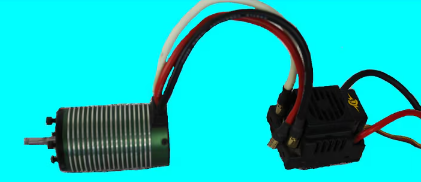
Trying to throttle up to “see if it fixes itself” can cause serious damage. When a motor stutters, the electronic speed controller (ESC) continues to push power through, but the motor isn’t syncing correctly. This lack of synchronization creates high current draw and excess heat, which can quickly lead to ESC failure.
Common Causes of a Jerky Stuttering Motor
One of the most common causes of stuttering is a disconnected or poorly connected lead between the ESC and the motor. If even one wire isn’t connected properly, the motor can’t receive the correct signals to rotate smoothly.
This issue can occur for a few reasons:
- You may have forgotten to fully plug in one of the motor leads.
- A factory-installed bullet connector could be loose or poorly soldered.
Just because a connector comes pre-installed doesn’t guarantee it’s perfect. To check, gently pull on each connector. If one comes off easily, it likely needs to be re-soldered to ensure a solid connection.
How to Fix It
- Stop running the motor immediately. Don’t keep throttling up—this can overheat or destroy the ESC.
- Check all motor-to-ESC connections. Make sure each bullet connector is firmly attached and seated properly.
- Inspect for loose or damaged joints. If you find one, re-solder the connector securely.
- Reconnect and test again carefully. Once everything is properly connected, power up slowly and listen for smooth motor operation.
Final Thoughts
If you notice your RC brushless motor stuttering, take it as a warning sign, not a minor glitch. Stopping right away can save your ESC and prevent permanent damage. Often, the fix is simple—just ensuring all your connectors are tight and properly soldered.